Apple Watch Series 12 beta adds Siri Recap and Live Rewind audio features
Apple's always-listening Siri Recap and Live Rewind features enter beta testing on 3 November for Apple Watch Series 12 and Ultra 4 owners.
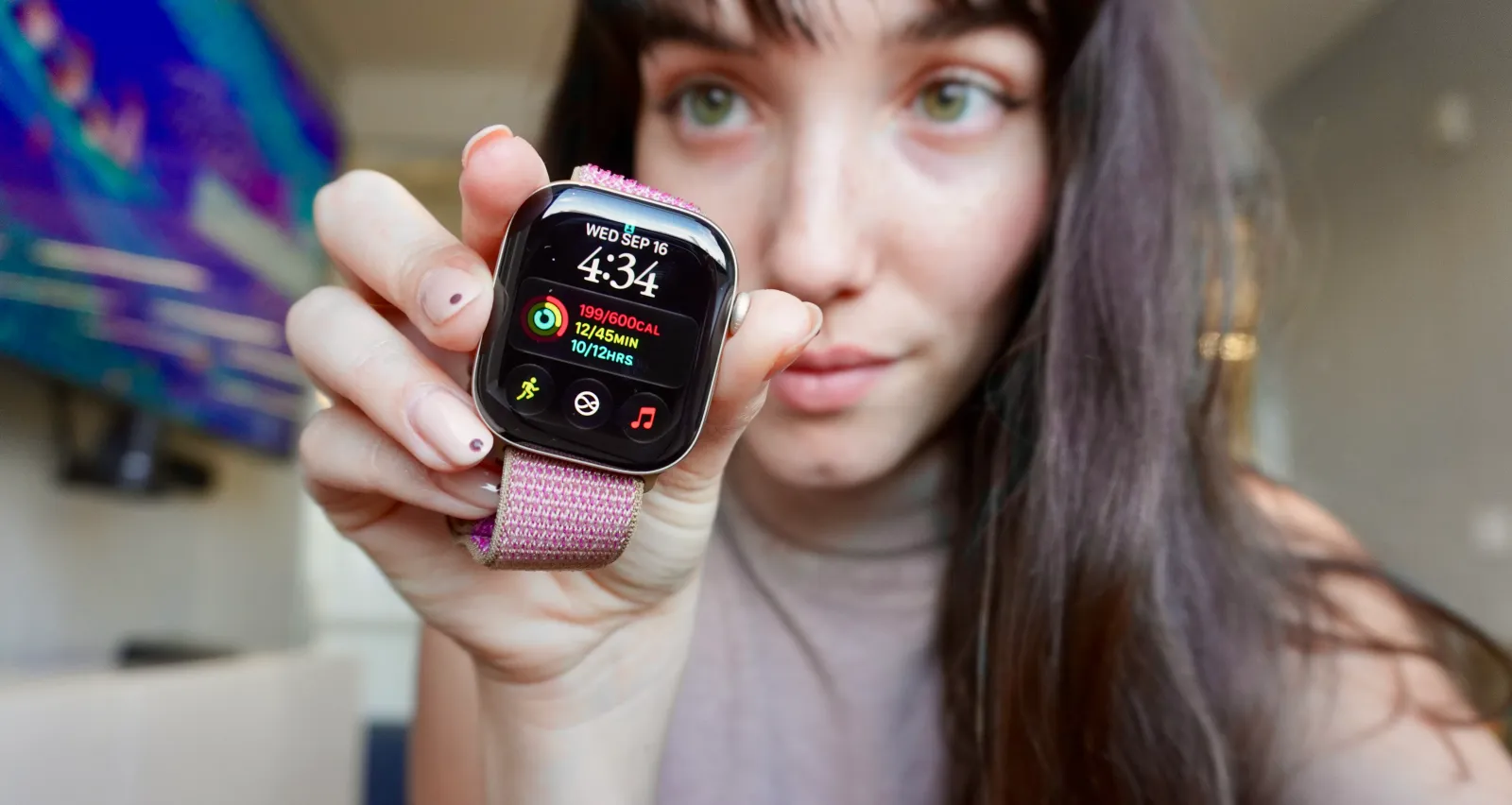 Photo: ZDNET
Key points
Apple's Siri Recap and Live Rewind audio features are now in beta for Apple Watch Series 12 and Ultra 4, with opt-in privacy protections.
Apple's always-listening Audio Intelligence features Siri Recap and Live Rewind began beta testing on 3 November for Apple Watch Series 12 and Apple Watch Ultra 4, announced via a press release from Apple in India. The beta is part of the iOS 27.3 developer update, which also enables the features on watchOS 27.3. The update has not yet rolled out in the U.S. market as of the morning of 3 November.
Siri Recap provides high-level summaries of conversations, generating a title and key points that users can access in the Siri app. Live Rewind lets wearers double-press the Digital Crown to see a transcript of the last 15 seconds of conversation, with an audible chime and animation to signal its use. Both features are opt-in and can be enabled or disabled at any time through Control Center.
How the features work
Apple first unveiled Siri Recap and Live Rewind in September alongside the Series 12 and Ultra 4 smartwatches, but waited to release the features until after the devices launched. The features are part of a set of four Audio Intelligence capabilities, which also include sound recognition for deaf and hard-of-hearing users and automatic song identification via Shazam.
Live Rewind is designed for moments when you miss a tidbit of information, such as in a college lecture or boardroom setting. When you double-press the Digital Crown, the watch shows a transcript for 30 seconds, and you can save the snippet to the Siri app or ask Siri about it. If you don't act on it, the snippet is deleted automatically after 30 seconds.
Siri Recap takes notes on key takeaways like important dates, times, prices, and action items, rather than providing word-for-word transcriptions. A demo showed it summarizing a conversation about college application strategies, noting high school activities and essay topics. Users can save meeting notes in the Siri app or export them to Notes or Journal, and unsaved conversations are automatically deleted after seven days.
Privacy protections
Apple says the features don't record or store audio, and the S11 chip processes audio in isolation from the rest of the device. The Secure Exclave, a hardware-protected memory space, contains a dedicated audio buffer that processes raw audio, which is then encrypted and sent to the Secure Exclave on the paired iPhone. Apple claims its operating systems, apps, users, and Apple itself cannot access the raw audio.
Siri Recap excludes sensitive information such as government-assigned identifiers, financial and authentication data, and language that promotes self-harm. It also avoids identifying speakers unless they introduce themselves or their name is regularly mentioned. The feature pauses summarization when the user is on a phone or FaceTime call, plays music, or uses earbuds, and it won't work when Bluetooth devices like AirPods are in use.
The features require an Apple Watch Series 12 or Apple Watch Ultra 4 paired with a compatible iPhone with Apple Intelligence enabled, such as an iPhone 16 or later but not iPhone 16e. Siri Recap and Live Rewind are initially available only in English and not in the EU, and they are subject to daily usage limits. The beta was announced via Apple in India, and typically, Apple releases betas around mid-day Eastern time.
Availability and limits
Users can configure Siri Recap to run on a schedule, such as only while at work, and can turn it off at any time from Control Center. Each morning, the watch sends a notification to alert the user that the feature is on, and at the end of each day, a reminder prompts review of daily recaps. The feature constantly assesses whether a conversation is relevant, optimizing detection based on context, proximity, and length.
Apple has attempted to address privacy concerns around always-on microphones, given backlash to AI recording devices like Meta's AI glasses. The company says that even if the watch is set to silent, Live Rewind plays a chime and shows an animation and microphone indicator when in use. The features are part of Apple's broader Audio Intelligence push, which also includes automatic song recognition that surfaces results in the Smart Stack.
The beta is expected to be live in the U.S. within a few hours, based on Apple's typical release schedule. Users can try the features by updating their iPhone to the iOS 27.3 developer beta and then updating their Apple Watch. The features were first revealed at Apple's Surprise and Shine hardware event in September, and the beta marks the first time they are available for testing outside Apple's internal development.
Frequently asked questions
What are Siri Recap and Live Rewind on Apple Watch?
Siri Recap summarizes conversations into notes with key points, while Live Rewind transcribes the last 15 seconds of conversation when you double-press the Digital Crown. Both are opt-in features in the iOS 27.3 beta for Apple Watch Series 12 and Ultra 4.
How do I enable Siri Recap and Live Rewind?
Update your iPhone to the iOS 27.3 developer beta and then update your Apple Watch. You can enable or disable the features at any time through Control Center, or set a schedule for Siri Recap to run only at certain times, like at work.
Are Siri Recap and Live Rewind private?
Apple says no audio is recorded or stored. Audio is processed in a Secure Exclave on the S11 chip, and only encrypted data is sent to the paired iPhone. Apple claims its operating systems, apps, users, and Apple itself cannot access raw audio.